
Armadillo
Map

Your AI ecosystem is more complex than you think

Interactive visualization showing every AI tool, data flow, and dependency at a glance.
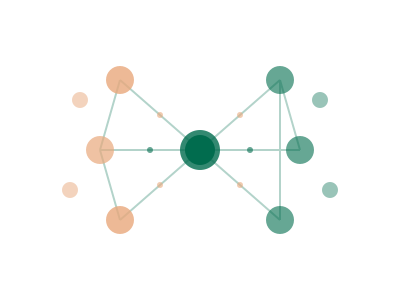
Your AI ecosystem is more complex than you think

You can't explain to leadership how your AI tools connect

Data flows between tools create hidden compliance risks

Dependencies aren't documented - one failure could cascade

Stakeholders need visuals, not spreadsheets

How Map works

1

Inventory

Start with your complete AI audit results

2

Connect

AI identifies data flows, API integrations, and dependencies automatically

3

Visualize

Interactive map shows your entire AI landscape with risk highlighting

Key Benefits

Visual clarity

Understand your AI landscape at a glance with interactive visualizations.

Data flow visibility

See exactly what data moves between AI tools and your systems.

Dependency tracking

Identify critical dependencies and single points of failure.

Risk highlighting

Visualize risk levels across your AI ecosystem.

Feature illustration placeholder

Who Uses This

Enterprise Architect

Documenting AI integration patterns

→ Clear architecture diagrams generated automatically
Security Team

Understanding data exposure to AI tools

→ Visual map of all data flows to external AI services
Board Presentation

Explaining AI governance to non-technical stakeholders

→ Simple, clear visualization of AI landscape

Complexity you can see

Modern organizations use dozens of AI tools, each connecting to different systems and handling different data. Without visualization, this complexity is impossible to grasp.

Armadillo Map transforms your AI inventory into an interactive visual that anyone can understand.

Automatic mapping

No manual diagramming required. Armadillo builds your map by analyzing:

  • SSO connections: Which tools are accessed through your identity provider
  • API integrations: Data flowing between AI tools and your systems
  • Data sources: What information each tool can access
  • User relationships: Which teams use which tools

The result is a living diagram that updates as your AI landscape changes.

Interactive exploration

Your AI map isn’t a static image. Explore by:

  • Zooming: From high-level overview to detailed tool views
  • Filtering: By team, risk level, data type, or tool category
  • Clicking: Drill into any tool for detailed information
  • Time travel: See how your landscape has evolved

Risk visualization

Colors and indicators show risk at a glance:

  • Red: High-risk tools or data flows requiring attention
  • Yellow: Medium-risk items to monitor
  • Green: Compliant tools with proper governance

Quickly identify where to focus your governance efforts.

Related Features

Visualize your AI landscape

Start 14-Day Trial